

Setup the Object Store
This section describes how to setup the object store for InfiniStream correctly
InfiniStream uses Object Storage as primary storage for your BYOC deployment. We recommend a dedicated
bucket per region. InfiniStream will still only write under infinistream prefix.
Object Storage URL Construction
Section titled “Object Storage URL Construction”The INFINISTREAM_BUCKET_NAME environment variable is the URL of the object storage bucket that the InfiniStream Agent
should write to. See the table below for how to configure it for different object store implementations.
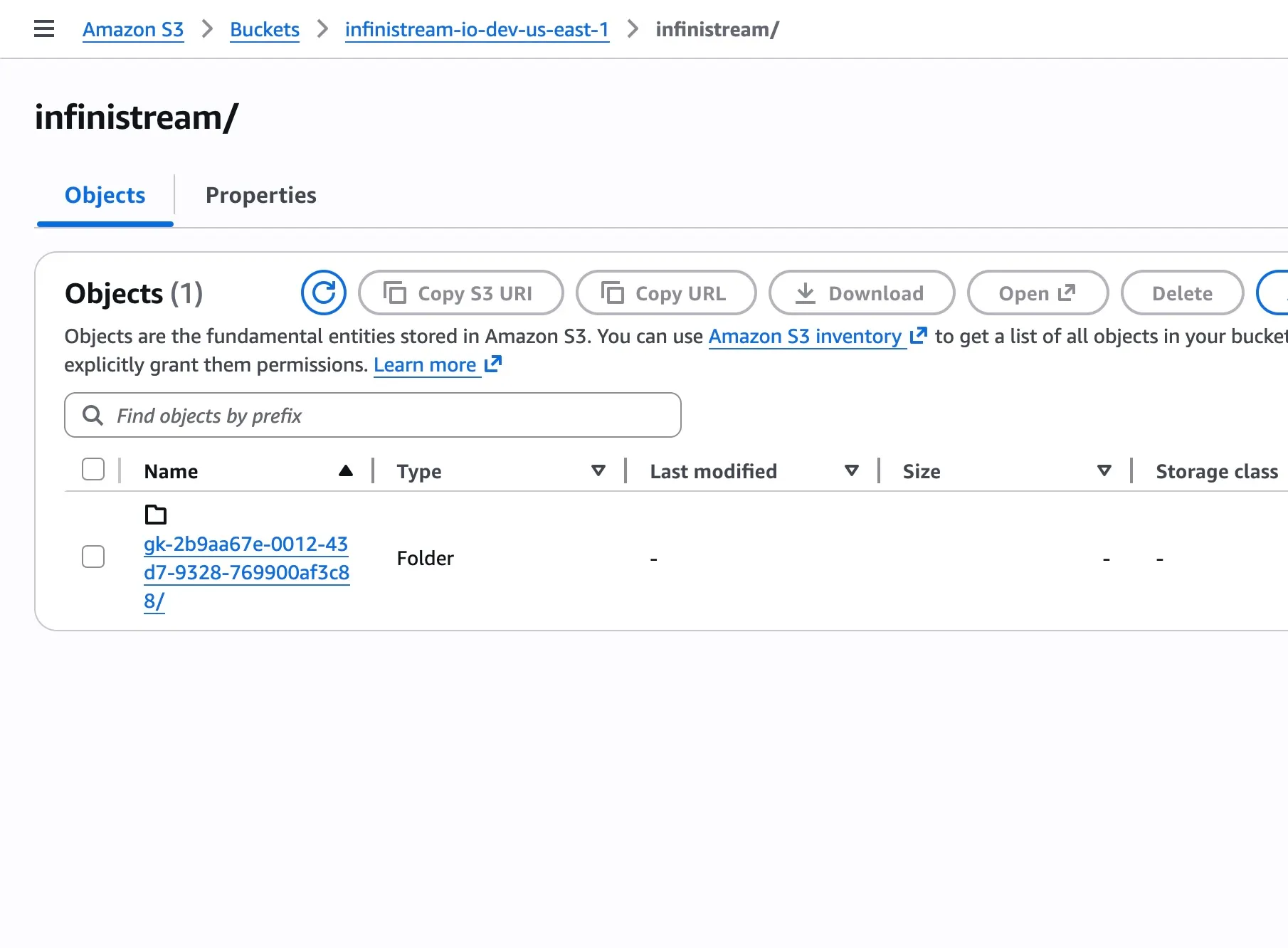
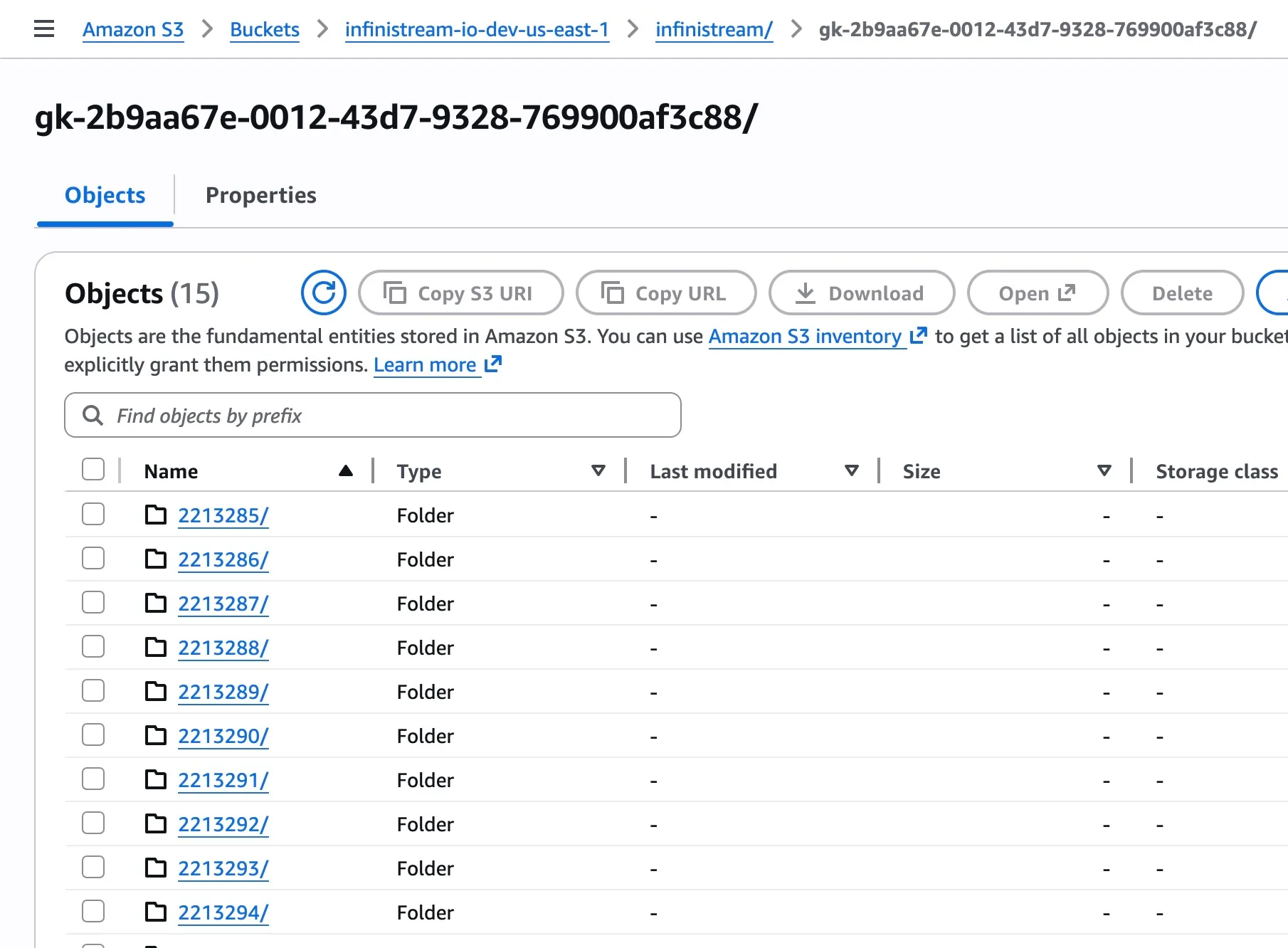
Note that the Infinitream Agents will automatically write all of their data to a top-level infinstream prefix in the bucket.
In addition, each group will write its data to a group-specific prefix (group ID) within the infinistream prefix so multiple
InfiniStream groups can share the same object storage bucket without issue.
INFINISTREAM_BUCKET_NAME=infinistream-io-dev-us-east-1
The InfiniStream Agent embeds the official AWS Golang SDK V2 so authentication/authorization with the specified S3 bucket can be handled in any of the expected ways, like using a shared credentials file, environment variables, or simply running the Agents in an environment with an appropriate IAM role with Write/Read/Delete/List permissions on the S3 bucket.
We suggest you give the agent the appropriate IAM role and skip the other two authentication methods. This role can be provided at the EC2 instance level itself if running in AWS Environment. However, if your agent sits elsewhere while still storing data in an S3 bucket, then the shared credentials file or environement variables are the better choices.
S3 compatible Object stores
Section titled “S3 compatible Object stores”If you’re using S3 compatible object stores, like MinIO, which is the one supported right now, the configuration is similar to configuring an S3 bucket.
Configuring the MinIO end point requires the root bucket name like AWS S3 and additionally the address of the end point.
INFINISTREAM_BUCKET_NAME=infinistream-io-dev-us-east-1
INFINISTREAM_MINIO_EP=aix:9000
Object Storage Permissions
Section titled “Object Storage Permissions”In addition to configuring the InfiniStream buckets, you’ll also need to make sure the Agent has the appropriate permissions to interact with the bucket.
An IAM role can be created with the following permissions and assigned to EC2 instance running the agent.
Specifically, the Agents need permission to perform the following operations:
-
PutObject
To create new files. -
GetObject
To read existing files. -
DeleteObject
So the Agents can enforce retention and compact files. -
ListBucket
So the Agents can enforce retention and compact files.
{ "Version": "2012-10-17", "Statement": [ { "Effect": "Allow", "Action": [ "s3:*", "s3-object-lambda:*" ], "Resource": "*" } ]}Specifically, the Agents need permission to perform the following operations:
-
PutObjectTo create new files.
-
GetObjectTo read existing files.
-
DeleteObjectSo the Agents can enforce retention and compact files.
-
ListBucketSo the Agents can enforce retention and compact files.
{ "Version": "2012-10-17", "Statement": [ { "Sid": "S3ExpressFullAccess", "Effect": "Allow", "Action": "s3express:*", "Resource": "*" } ]}